.png)
Minimum Wage CSV Exports & Best Practices
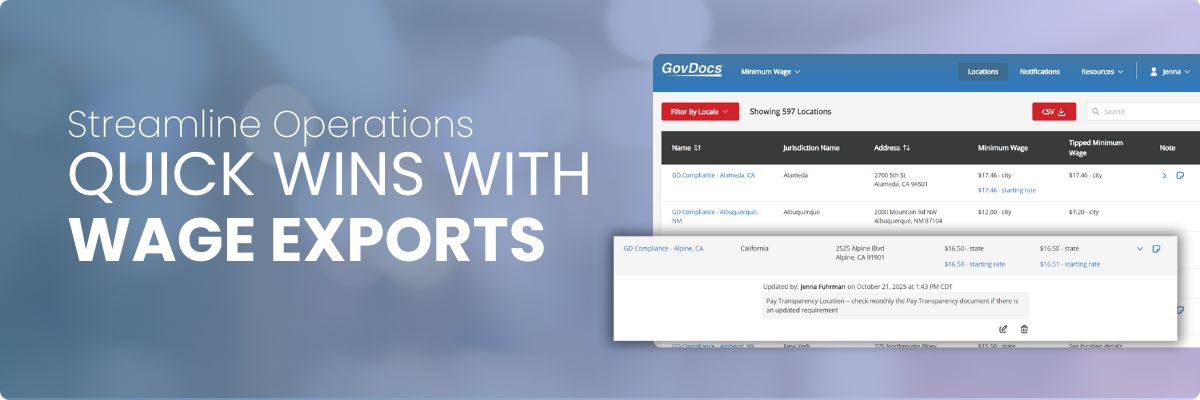
Minimum Wage CSV exports provide downloadable files containing the wage data that is most important to your organization. Theses exports are designed to give you a structured, spreadsheet-friendly view of wage data so you can easily review, filter, sort, and integrate it into your internal processes.
The CSV format makes it simple to work with the data in tools like Excel, Google Sheets, or your payroll and HR systems.
👉🏻Why they're important: Minimum wage laws change frequently and vary by state, county, and city. Manually tracking those changes increases the risk of missed updates, incorrect pay rates, and compliance issues.
Using Minimum Wage CSV exports will help you:
- Centralize wage data in one reliable source
- Stay ahead of upcoming wage changes
- Support payroll, HR, and finance teams with accurate information
- Reduce manual research and data entry
- Create internal checks before wage increases take effect
For multi-location or multi-state organizations, CSV exports are especially useful for validating wage rates at scale.
Two Types of Minimum Wage CSV Exports
GovDocs offers two different Minimum Wage CSV exports, each designed for a specific use case. Understanding when and how to use each export helps ensure accurate wage tracking, location audits, and proactive compliance planning.
| Locations Tab CSV Export |
A location-based view of minimum wage data, designed for auditing and managing wage rates at the individual location level. Best use cases include:
|
|
Notifications Tab CSV Export |
A change-focused view of minimum wage updates, designed to track current and upcoming wage changes over time. What this export includes:
Best use cases include:
|
Location-level wage data for auditing and rate validation
| When I need to... | So that I can... |
|---|---|
| Audit minimum wage compliance across individual locations | Confirm each location meets current minimum wage laws |
| Validate starting wage rates for new or existing locations | Identify locations that may require wage adjustments |
| Document location-specific wage notes for internal reference | Support payroll and HR teams with accurate, location-level data |
| Compare location wage rates against minimum wage requirements | Maintain clear records for internal audits or compliance reviews |
The Location CSV is best for these jobs because...
- It provides a location-by-location view of minimum wage data
- It aligns directly with how organizations manage wages at the location level
- It supports operational workflows like onboarding, audits, and wage validation
Track minimum wage changes, updates, and effective dates
| When I need to... | So that I can... |
|---|---|
| Track current and upcoming minimum wage changes | Prepare payroll systems before wage changes go into effect |
| Understand when wage increases take effect | Plan for labor cost increases and budgeting impacts |
| Review historical wage updates over time | Stay ahead of compliance deadlines |
| Filter wage changes by a specific date range or timeframe | Maintain documentation of wage changes for compliance and reporting |
The Notification CSV is best for these jobs because...
- It shows both the current and updated wage rates
- It clearly identifies effective dates for each change
- It allows filtering by custom date range or up to five years of data
Ready to keep going? Explore more related articles below, head back to the Knowledge Center, or jump straight to your Minimum Wage Solution to continue your work.