.png)
Onboarding New Locations for Labor Law Posters
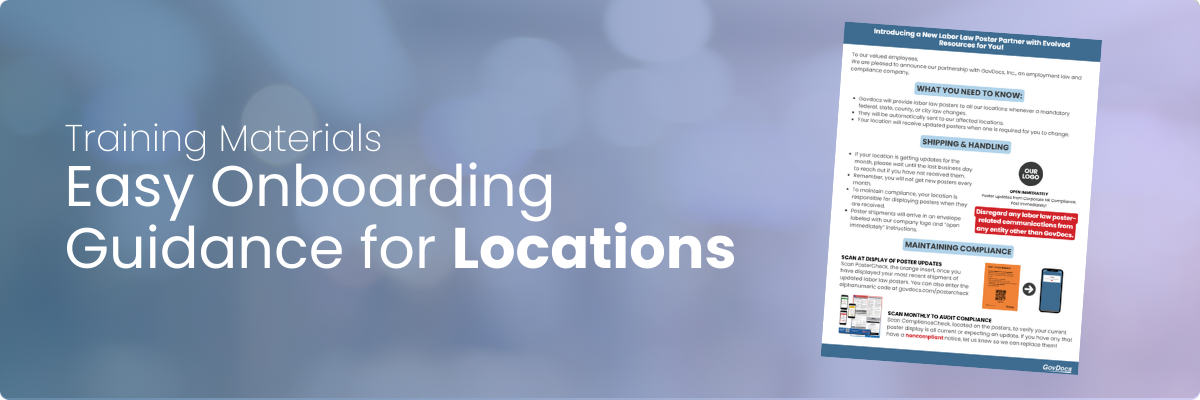
Whether you're brand new to GovDocs or transitioning a new location onto the Update Service, this Knowledge Center article will pave the way for you to onboard locations so they can quickly adopt a new partner and the resources at their fingertips.
What you should share with your location:
➡️ PDF to print, share via URL, or email directly to your locations in onboarding
Here is a templated message you can send:
Hi [first name]
We are working with a new partner, GovDocs, for our labor law poster program. Here is what you should expect moving forward:
- You won't always get posters every month, but I will alert by email on months you should expect them.
- If you don't get an expected poster by the end of the month, let me know.
- All labor law posters will come in an envelope from GovDocs that is branded to Open Immediately with our organization.
- When you get a new poster, replace the old one immediately and scan the orange QR insert, PosterCheck. This will alert me that it has been displayed and you're compliant.
- Lastly, review the document attached/linked here and let me know any questions you have.
We're excited to provide you more resources and streamline this process for you.
How you can support your locations:
| Resource | Action |
|---|---|
| The Grid | On the last business day of the month, use the Grid and email templates to reach out to all applicable locations who will be receiving updates in the next 30 days. Learn more about the Grid here >> |
| Shipping Tab | By the 10th business day of each month, all posters will have shipped, monitor on a regular cadence when shipments have went out and if you have received communications from your locations regarding labor law posters. If you have questions about the shipping process, check out our FAQs >> |
| PosterCheck | On the Shipping Tab, if you have PosterCheck, you should monitor each shipment's update from noncompliant (red X) to compliant (green check) to verify that a location has scanned and displayed the updated poster. See PosterCheck Best Practices to get the most out of it >> |
| ComplianceCheck | Remind locations they should be scanning the ComplianceCheck QR located on the bottom of their posters on a monthly cadence to ensure they all are either compliant or pending an update. |
| Subscription Audit Report | Export the Subscription Audit Report and send a list of all poster requirements to that location. They can then audit to ensure all required postings are there. If they are not, you will need to order replacements. Understand the power behind the Subscription Audit Report >> |